Free browser-based square image tool

Square Image Generator

Make any photo a clean 1:1 square with blur, color, crop, stretch, custom size, and rounded corners.

Drop an image into this area

or

JPG, PNG, and WebP are supported. Your image stays in your browser.

Allowed file types: JPG, PNG, WebP

Free ·No watermark ·Custom size ·Process locally
Make Any Image Square Online

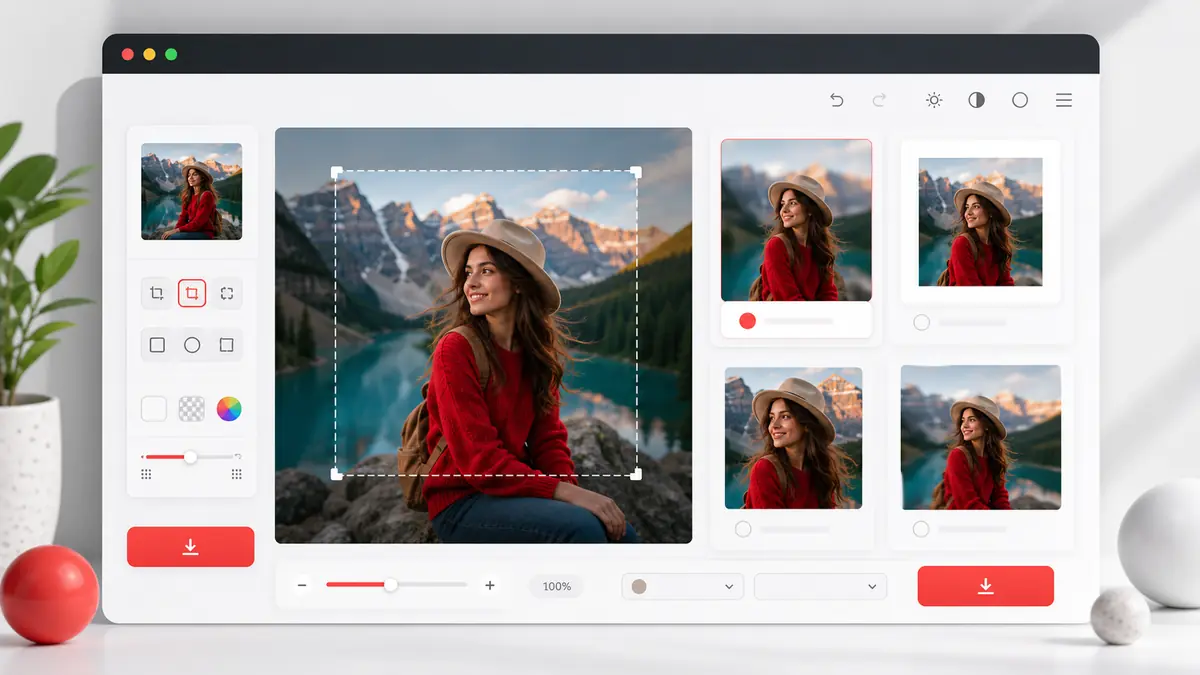
Square Image Generator turns rectangular photos into a clean 1:1 format for social media, profile pictures, product grids, and website thumbnails. Use blur or color backgrounds to keep the full photo visible, or crop when you want a tighter composition.

Square Image Generator showing blur, color, crop, and stretch square image modes
Square Image Generator preview: one landscape photo converted into multiple 1:1 square outputs.

How to make an image square

1

Upload your image

Select a JPG, PNG, or WebP file, drag it into the upload area, or paste an image from your clipboard.

2

Choose a square style

Use Blur Background, Color Background, Crop and Zoom, or Stretch depending on whether you want to keep the full image or crop tightly.

3

Preview the square result

Adjust blur strength, background color, or crop zoom while the canvas updates in real time.

4

Download your square image

Choose PNG, JPG, or WebP and export a 1080px, 1200px, 2048px, or original-size square image.

Why use this square image maker?

Four conversion modes

Blur, color, crop, and stretch modes cover the common ways people convert photos into 1:1 square images.

Private local processing

Image rendering happens in your browser with canvas. The site does not need to upload or store your files.

Useful export presets

Export common square sizes for social posts, profile pictures, product photos, and web thumbnails, or enter a custom square size when presets are not enough.

No signup or watermark

Open the tool, create a square image, and download the result without creating an account.

Rounded corners and avatar preview

Add rounded corners to the exported square image and turn on a circle avatar preview so profile pictures look right before upload.

Built for repeat workflows

Square Image Generator keeps the common controls in one place, so you can upload, preview, switch modes, and export without moving through a complex editor.

Works for portrait and landscape photos

The same square image generator handles wide banners, tall phone photos, screenshots, profile shots, and product pictures with predictable 1:1 output.

Balanced for SEO and real users

The page explains how to make image square online while keeping the tool itself at the top for visitors who want the result immediately.

Common square image use cases

Social media posts

Create square images for Instagram, Facebook, LinkedIn, X, and other platforms that display 1:1 content cleanly.

Profile pictures

Turn portrait or landscape photos into centered square avatars without losing the important part of the image.

Product images

Prepare consistent square product photos for store grids and marketplace listings.

Website thumbnails

Use Square Image Generator to make consistent thumbnails for blog cards, portfolio galleries, team sections, and landing page previews.

Messaging app avatars

Create a centered square source image before apps crop or mask the picture into a circle.

Simple design exports

Convert image to square format when a design template, ad slot, or CMS field expects a 1:1 file.

Square image FAQ

How do I make an image square without cropping?

Use Blur Background or Color Background mode. Both keep the full photo centered and fill the empty space around it.

What is the best square size for social media?

1080x1080px is a strong default for Instagram and many social posts. Use 1200px or 2048px when you want a higher-resolution file.

Are my images uploaded to a server?

No. The conversion runs in your browser, so your files do not need to leave your device.

Can I download JPG, PNG, or WebP?

Yes. PNG is best for quality and transparency, JPG is useful for photos, and WebP gives modern compression.

Does the tool add a watermark?

No. Downloads are clean and do not include watermarks, logos, or branding.

Which mode should I choose?

Choose Blur for social photos, Color for clean product or brand backgrounds, Crop for precise framing, and Stretch only when distortion is acceptable.

Is Square Image Generator better than a basic crop tool?

Square Image Generator is broader than a crop-only tool because it can preserve the full photo with blur or color backgrounds, crop manually, or stretch when speed matters more than proportions.

Can I use Square Image Generator for product photos?

Yes. Use Color Background mode with white or a brand color, then export a consistent square file for product grids and marketplace images.

Can I convert image to square format on mobile?

Yes. The tool is responsive, so you can upload from a phone, preview the square output, adjust settings, and download the finished image from the mobile browser.

Why does a square image look better in grids?

Square images line up evenly in social feeds, product grids, and gallery cards. Equal width and height reduce layout jumps and make mixed photo sets easier to scan.