WhatsApp display picture no-crop maker

WhatsApp DP No Crop

Make a square WhatsApp profile picture while keeping the full photo visible.

Drop a photo to make a WhatsApp DP

or

Use blur or color background to fit portraits, selfies, logos, and text graphics into a square.

Allowed file types: JPG, PNG, WebP

No crop ·Circle preview ·512px default ·Private
Make a WhatsApp DP Without Cropping

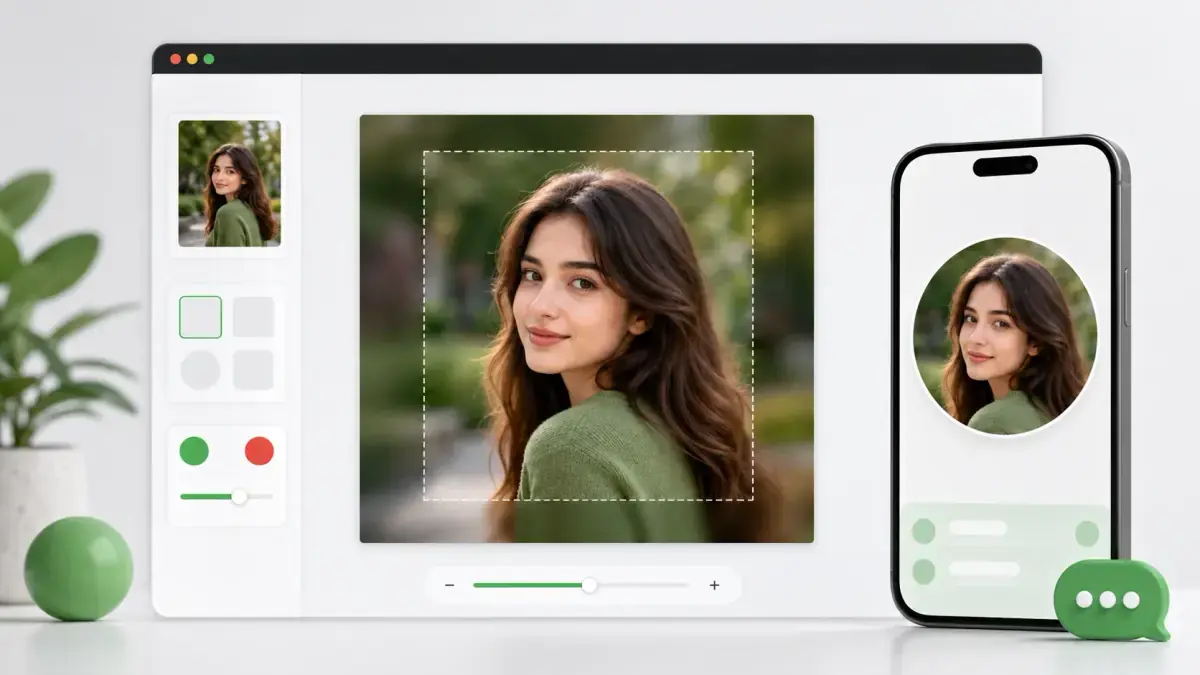
WhatsApp profile photos are easiest to control when you prepare a clean square image before upload. This WhatsApp DP no crop tool centers your original photo, fills the extra space with blur or a solid color, and shows a circle avatar preview so faces, logos, and text stay inside the safe area.

WhatsApp DP no crop tool preview showing a portrait fitted into a square profile picture with circle avatar preview
WhatsApp DP no crop preview: keep the full photo visible, check the circle safe area, and export a square profile image.

How to make a WhatsApp DP no crop image

1

Upload your photo

Choose a portrait, selfie, logo, group image, or text graphic that you want to use as a WhatsApp display picture.

2

Keep the full image visible

Use Blur Background for a natural profile-photo look or Color Background for logos and clean graphics.

3

Check the circle preview

Turn on the avatar guide to see whether the face, logo, or important edges remain inside the circular display area.

4

Download the square DP

Export a 512px, 1024px, or custom-size square image as PNG, JPG, or WebP and upload it to WhatsApp yourself.

Why use this WhatsApp DP no crop tool?

No-crop display picture framing

The full original photo can stay visible inside a square canvas instead of losing hair, shoulders, logos, or text at the edges.

Circle avatar safe-area preview

A circle guide helps you judge how the square image will look after an app displays the profile photo as a circle.

Blur or solid background

Use blur for personal photos and solid color for brand marks, initials, business graphics, or cleaner DP layouts.

WhatsApp-friendly square sizes

The 512px default is practical for profile uploads, while 1024px gives a sharper source file when you want extra quality.

Transparent corner support

Use PNG or WebP with rounded corners when you want a softer avatar-style export from the same tool.

Private browser processing

The image is rendered locally in your browser, so the page does not need to upload your private profile photo to a server.

Best uses for WhatsApp DP no crop

Portrait and selfie display pictures

Keep the full head, hair, shoulders, and background visible when a portrait is too tall for a tight square crop.

Business profile images

Prepare a clean square source image for a business logo, shop photo, founder portrait, or support account.

Family and group photos

Use a no-crop background when a group photo would otherwise cut people off near the left or right edge.

Text graphics and announcements

Fit quotes, names, event graphics, and simple text images into a square without trimming letters.

Logo and creator marks

Center a logo or creator mark before a profile app masks it into a circle.

Profile photo cleanup

Create a consistent square DP source file before uploading the same profile image to other messaging or social apps.

WhatsApp DP no crop FAQ

What is a WhatsApp DP no crop image?

It is a square profile picture prepared so the full original photo remains visible instead of being tightly cropped.

What size should I use for a WhatsApp DP?

512x512px is a practical default for profile pictures. You can also export 1024x1024px if you want a sharper source image.

Can I keep my full portrait photo visible?

Yes. Choose Blur Background or Color Background to place the full portrait inside a square canvas.

Why does the page show a circle preview?

Many profile interfaces display a square upload inside a circular mask. The preview helps keep faces and logos away from the edge.

Does this tool upload my WhatsApp DP to a server?

No. The image conversion happens in your browser. You download the file and upload it to WhatsApp yourself.

Is this page affiliated with WhatsApp?

No. This is an independent image utility and is not affiliated with, endorsed by, or sponsored by WhatsApp.