Exact 3000 by 3000 square image converter

Resize Image to 3000x3000

Create an exact 3000x3000 square image for high-resolution uploads, design assets, product images, and print-style previews.

Drop an image to resize to 3000x3000

or

Crop, fit with background, stretch, or export a high-resolution square PNG, JPG, or WebP.

Allowed file types: JPG, PNG, WebP

3000x3000 ·High resolution ·Crop or fit ·Private
Create an Exact 3000x3000 Square Image

Use this page when you need to resize image to 3000x3000 for a strict upload form, high-resolution square asset, product preview, album-style artwork, or design handoff. The tool starts with an exact 3000x3000 output size, then lets you crop, fit with a color background, add a blur background, or stretch when proportions do not matter. Resize image to 3000x3000 directly in your browser and download a PNG, JPG, or WebP file without opening a desktop editor.

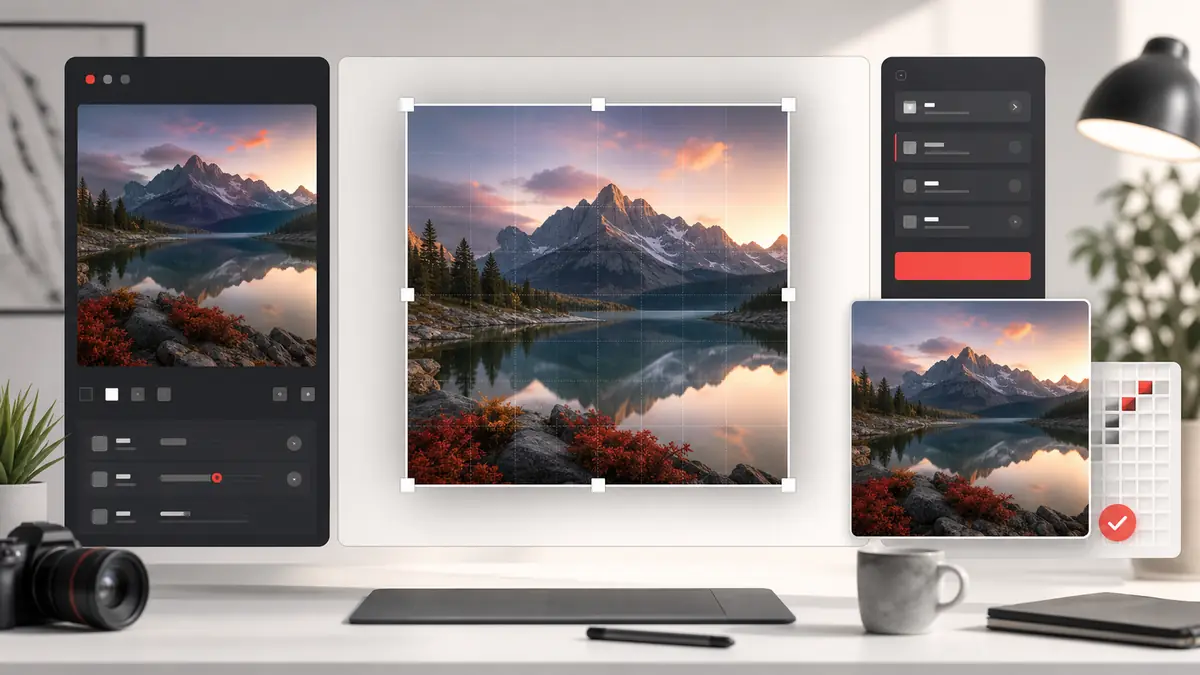
Resize image to 3000x3000 tool preview showing exact high-resolution square output with crop and fit options
3000x3000 resize preview: create a high-resolution square image with crop, fit, blur, or stretch options.

How to resize image to 3000x3000

1

Upload your image

Select a JPG, PNG, or WebP file from your device. A larger source image usually gives a sharper 3000x3000 output.

2

Keep the 3000px preset

The page is already set to 3000x3000, so you do not need to type width and height manually.

3

Choose crop, fit, blur, or stretch

Use Crop and Zoom to fill the square, Color Background or Blur Background to keep the full image visible, or Stretch for a direct forced resize.

4

Download the 3000x3000 image

Export the final high-resolution square as PNG, JPG, or WebP and use it wherever exact dimensions are required.

3000x3000 converter features

Exact 3000 by 3000 output

The main preset is fixed to 3000x3000 pixels, which removes guesswork when a platform or project asks for that exact square size.

Crop and no-crop modes

Resize image to 3000x3000 by cropping tightly, preserving the full photo with a background, or using blur for a softer filled frame.

High-resolution export

A 3000px square is useful when the image may be viewed large, printed small, reused in design software, or compressed by another platform.

Multiple format choices

Download PNG for quality and transparency, JPG for regular photos, or WebP when modern compression is preferred.

Custom size fallback

If the requirement changes from 3000x3000 to 2048x2048, 1500x1500, 1024x1024, or another square size, use the same editor.

Rounded corner support

You can add rounded corners after resizing if the 3000x3000 image needs to become a card, avatar source, or soft thumbnail.

Local canvas workflow

The conversion runs in the browser, which keeps the workflow fast and avoids sending large source images to a server.

When to use 3000x3000 images

Product images

Resize image to 3000x3000 for square product previews, catalog cards, marketplace images, and consistent e-commerce grids.

Design handoff files

Create a high-resolution square source file for designers, clients, CMS uploads, or reusable campaign assets.

Album-style artwork

A 3000x3000 square is a common high-resolution format for cover-style graphics, music visuals, podcast art drafts, and media previews.

Print-style previews

Use a larger square image when a small print preview, sticker mockup, or physical product image needs more pixel detail.

Social and ad assets

A 3000px source can be downscaled later for social media, ads, thumbnails, and profile assets while retaining detail.

Strict upload requirements

Use this converter when a form rejects images that are not exactly 3000 pixels wide and 3000 pixels tall.

Resize image to 3000x3000 FAQ

How do I resize image to 3000x3000 online?

Upload your image, keep the 3000px size preset, choose the square framing mode, and download the exported file.

Will resizing to 3000x3000 crop my photo?

Only if you use Crop and Zoom. Use Color Background or Blur Background when you want the full image visible inside the square.

Is 3000x3000 high resolution?

Yes. A 3000x3000 image has nine million pixels, so it is much larger than typical avatar or social thumbnail sizes.

What source image works best?

A large source image works best. Upscaling a very small image to 3000x3000 can make it look soft or blurry.

Can I make a 3000x3000 JPG?

Yes. Choose JPG in the format dropdown. You can also export PNG or WebP.

Can I resize image to 3000x3000 without stretching?

Yes. Use Crop and Zoom to fill the square without distortion, or use Color Background or Blur Background to keep the full original proportions.

Can I use a different exact square size?

Yes. The page also includes 2048, 1500, 1024, custom size, and original-size options.

Does the 3000x3000 converter add a watermark?

No. The downloaded file is clean and does not include a watermark or site branding.

Are large images uploaded to your server?

No. The image is processed locally in your browser and downloaded from your device.