Free online 1:1 square crop
Crop Image to Square — Free Online
Crop any photo to a 1:1 square online for free. Drag to frame the subject, zoom, then download.
Drop an image to crop it to a square
or
JPG, PNG, and WebP are supported. Your image stays in your browser.
Allowed file types: JPG, PNG, WebP
What is a 1:1 square crop?
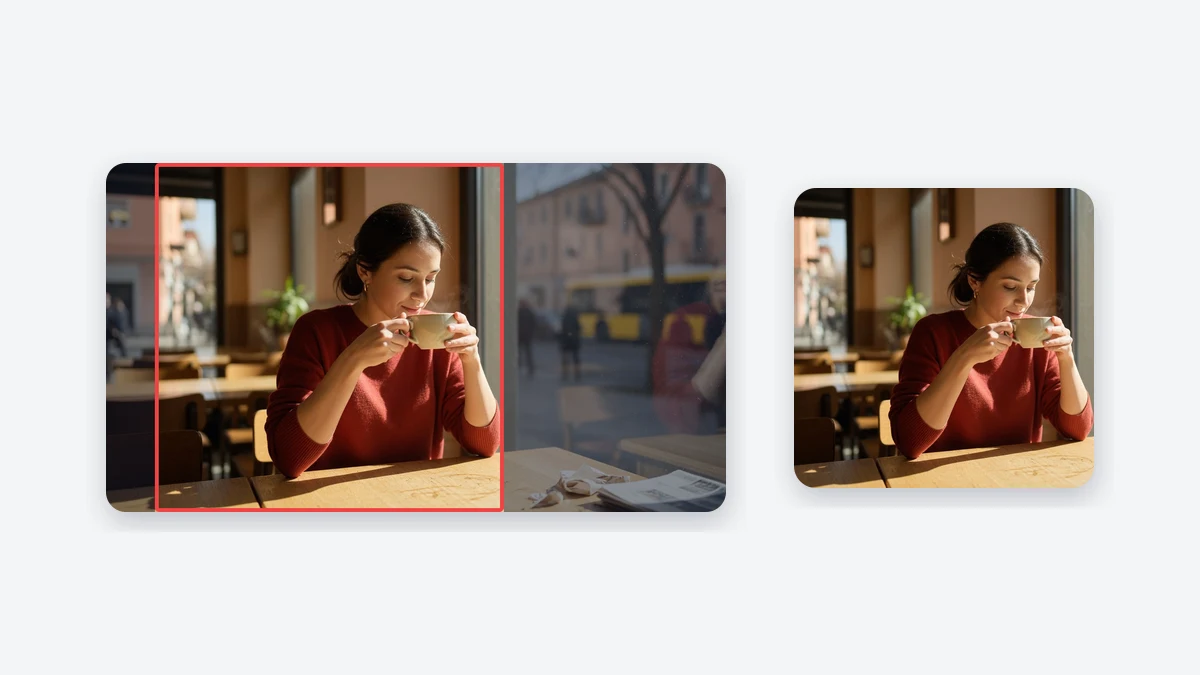
Crop image to square means you keep only a 1:1 window of the photo and discard the rest. This page opens in Crop and Zoom so a landscape or portrait file becomes a true square crop: drag to place the subject, zoom to fill the frame, then download PNG, JPG, or WebP. Pixels inside the square keep their original proportions. The tool does not stretch faces. Processing stays in the browser, so the file is not uploaded to a server. If the whole picture must remain visible, use Make Image Square Without Cropping. Circle avatars belong on Circle Crop Image after you have a square source.
Related square image tools
Blurred Frame
Add side blur or a blurred frame at 1:1, 16:9, 9:16, or a custom ratio.
Make Image Square Without Cropping
Keep the full photo visible with a blur or color background.
Instagram Square Image
Create a 1080x1080 square photo for Instagram posts and profile pictures.
Batch Square Image Converter
Convert multiple images to square format and download them as a ZIP.
Square Profile Picture Maker
Make a square profile picture with rounded corners and circle avatar preview.
WhatsApp DP No Crop
Prepare a full-photo WhatsApp display picture without cutting off the subject.
Circle Crop Image
Turn a square image into a clean circular avatar with transparent corners.
Resize Image to 512x512
Export an exact 512x512 square image for avatars, icons, and uploads.
Add White Border to Photo
Add a clean adjustable white border around a square photo for Instagram and profile posts.
Add Rounded Corners to Image
Round image corners and export PNG or WebP with transparent corners.
Discord Profile Picture Size Converter
Prepare a 512px or 128px square Discord avatar with circle preview.
Resize Image to 3000x3000
Create an exact high-resolution 3000x3000 square image online.
How to crop image to square
Upload the photo
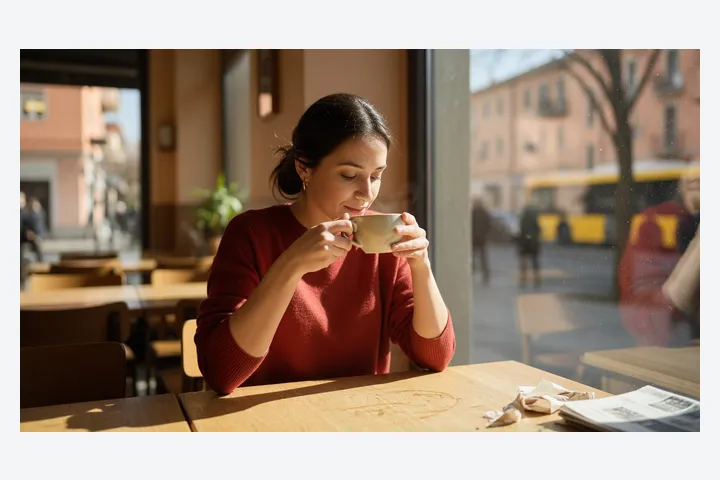
Drop a JPG, PNG, or WebP, or paste from the clipboard. The file stays in this browser while you crop image to square.
Frame the 1:1 crop
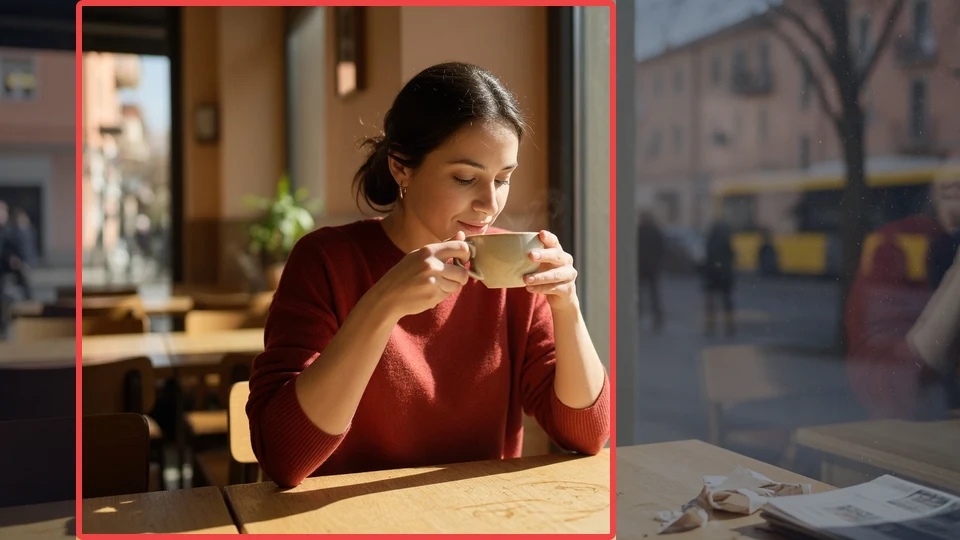
Keep Crop and Zoom selected. Drag the photo and use the zoom slider until the subject fills the square. The preview is the crop you will download.
Download the square file
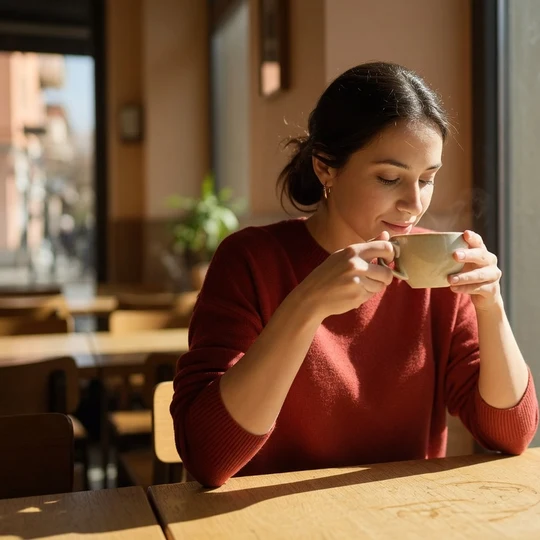
Pick 1080px or another size, choose PNG, JPG, or WebP, and save. The download has no watermark.
Square crop features
Locked 1:1 crop window
The frame stays square while you drag and zoom, so a crop image to square export is always as wide as it is tall. You are not guessing a freehand rectangle.
Drag and zoom on the real photo
Move the picture behind the square and use the zoom slider until the face, product, or logo sits where you want. What you see in the preview is what you download.
Private browser export
The square crop is drawn on a canvas in this tab. There is no account, no watermark, and no need to send the original photo to a server.
PNG, JPG, and WebP at useful sizes
Download 1080px for social posts, 1200px or 2048px for sharper files, or a custom square size from 16px to 4096px in PNG, JPG, or WebP.
Crop or keep the whole picture?
A square crop is right when the subject matters more than the edges — a face for a profile picture, a product on a table, a logo that should fill a card. Cropping changes composition: the saved file is only what sat inside the frame. If you need every edge of a tall selfie or a wide banner, do not crop image to square. Pad it instead with blur or a color background on the no-crop page. Stretching a rectangle into a square distorts faces and is the last resort, not the default on this URL.
Why use this square crop tool
You control what gets cut
Social apps often auto-crop from the center. Framing the square yourself keeps eyes, packaging, or a logo inside the 1:1 window before you upload.
Faster than a desktop editor
You do not need Photoshop, Preview, or Canva to crop image to square. Upload, drag, zoom, and download from the same page.
No stretch, no surprise pad
This URL is a crop, not a pad and not a squeeze. Faces stay in proportion. Padding lives on Make Image Square Without Cropping.
Works next to the other square tools
Need the full photo? Use no-crop. Need a round avatar? Use Circle Crop Image. Need many files? Use Batch Square Image. This page stays on one 1:1 crop.
Square crop settings and limits
Leave space above a head for profile photos
Apps often mask the square into a circle. Keep hair and eyes away from the corners so the mask does not clip them after you crop image to square.
Do not zoom a tiny region to a huge export
Cropping a small area and exporting 2048px enlarges those pixels. Start from a larger source when you need a sharp square crop.
Use 1080px unless a form asks for another size
1080 is a solid default for Instagram and most feeds. Switch to custom size only when an upload form names an exact pixel length.
This page does not crop video
You can crop a video still or thumbnail to 1:1. It will not encode a moving square clip.
Best uses for a square crop
Instagram feed post
Start with a landscape phone photo. Use Crop and Zoom at 1080px JPG to crop image to square around the subject. Keep text away from the edges if the app later adds UI chrome.
Profile picture source
Start with a tall portrait. Crop and Zoom at 512px or 1024px PNG so the face fills the square. Platforms may apply a circle mask, so leave a little margin around the head.
Product grid photo
Start with a tabletop product shot. Crop and Zoom at 1200px to a 1:1 product square. If packaging text must stay fully visible, use no-crop instead of cutting it off.
Thumbnail or card image
Start with a wide blog or portfolio still. Crop and Zoom at 1200px WebP so the square thumbnail matches other cards. Crop for composition; do not stretch to fill.
Square crop FAQ
How do I crop image to square?
Can I crop image to square online for free?
What sizes can I download after a square crop?
Does this square crop work on iPhone?
How is a square crop different from making an image square without cropping?
Can I crop a square image to a circle?
Can I bulk crop images to square?
Are my photos uploaded to a server?
Will cropping reduce image quality?
What is a 1:1 square crop?
How do I square crop for Instagram?
Can I crop image to square on a Mac without Photoshop?
Does the square crop stretch the photo?
How do I crop a photo to square for a profile picture?
Crop image to square now
Upload a photo, drag to frame a 1:1 square crop, and download PNG, JPG, or WebP with no watermark.
Open the square crop tool